

Aug
Resources
Album Cover Size Guide 2027: Official Dimensions for Every Streaming Platform, Distributor & Print Format
Choosing the right album cover size is one of the most important technical steps before releasing your music. Your cover art is the first thing listeners see on Spotify, Apple Music, or YouTube Music—and if your file misses the exact resolution, aspect ratio, or color mode requirements, your distributor will delay or reject your release.
In this complete, fact-checked guide by Buy Cover Artwork (BCAW), we break down the official album cover dimensions for every major streaming platform, digital music distributor, podcast directory, and physical print format (CD, vinyl, and cassette), along with the exact workflow to prepare one master file that works everywhere.
Quick Answer: What Is the Standard Album Cover Size?
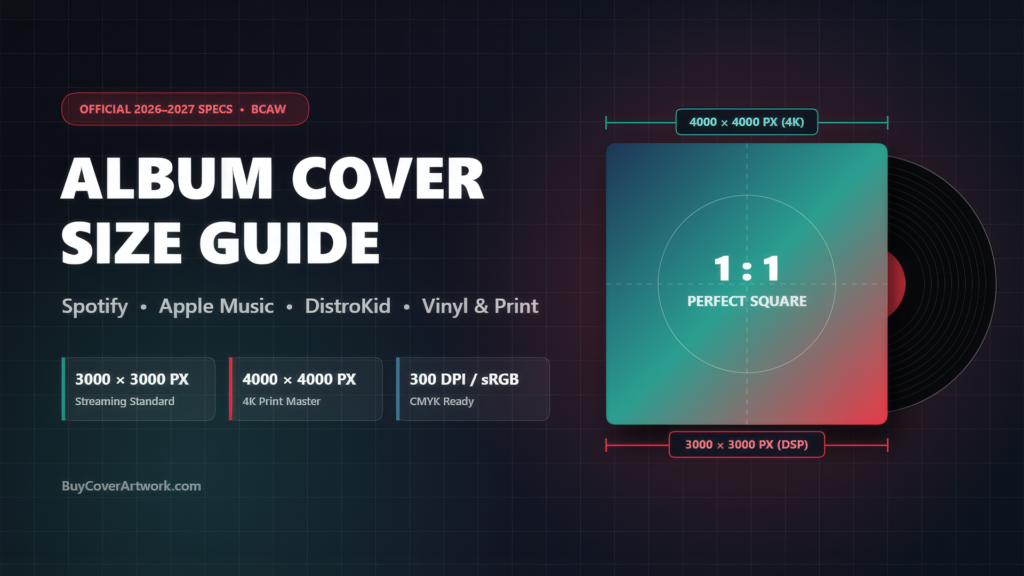
- Universal Distributor Standard: 3000 x 3000 pixels (1:1 perfect square), RGB (sRGB) color mode, high-quality JPG or PNG.
- Future-Proof Master Standard (Recommended): 4000 x 4000 pixels (4K) at 300 DPI.
Why 4000 x 4000 px vs. 3000 x 3000 px matters: While 3000 x 3000 px is the standard upload size requested by most distributors—and the strict maximum ceiling enforced by TuneCore and CD Baby—Apple Music for Artists specifically recommends at least 4000 x 4000 px, and a 12-inch vinyl LP sleeve requires over 3700 x 3700 px for sharp 300 DPI printing. Starting with a 4000 x 4000 px master lets you downscale cleanly to 3000 x 3000 px for any distributor without ever upscaling a smaller image.
Album Cover Size by Streaming Platform
Below are the verified digital specifications for the world’s largest streaming platforms. Keep in mind that most platforms receive your music through a distributor, so your distributor’s upload rules also apply.
| Platform | Minimum Size (px) | Recommended / Optimal | Aspect Ratio | Formats | Color Space & Notes |
|---|---|---|---|---|---|
| Spotify | 640 x 640 | 3000 x 3000 (accepts up to 10,000 x 10,000) | 1:1 Square | TIFF, PNG, JPG (lossless) | sRGB (24-bit per pixel). No upscaling. |
| Apple Music / iTunes | 1400 x 1400 (Providers) / 4000 x 4000 (Artists guide) | 3000 x 3000 to 4000 x 4000 | 1:1 Square | JPG, PNG, GIF (JPG/PNG preferred) | RGB only (sRGB or Display P3). No transparency. |
| YouTube Music | 1400 x 1400 (via distributors) | 3000 x 3000 (max 4098 x 4098) | 1:1 Square | JPG, PNG | RGB only. Regular YouTube video thumbnails are 1280 x 720 (16:9). |
| Amazon Music | 1400 x 1400 | 3000 x 3000 | 1:1 Square | JPG, PNG | RGB color mode; delivered via distributor. |
| TIDAL | 1500 x 1500–1600 x 1600 (via distributors) | 3000 x 3000 | 1:1 Square | JPG, PNG | RGB color mode; high-fidelity standard. |
| Deezer | 500 x 500 (Labels) / 3000 x 3000 (Indie) | 3000 x 3000 (max 4096 x 4096) | 1:1 Square | JPG, PNG | Max 32 MB ingestion limit; RGB. |
| SoundCloud (Direct) | 800 x 800 | 3000 x 3000 | 1:1 Square | JPG, PNG | Track upload editor limit is under 2 MB. |
| SoundCloud (Distribution) | 3000 x 3000 | 3000 x 3000 | 1:1 Square | PNG, JPG | 300 DPI required for SoundCloud for Artists delivery. |
| Bandcamp | 1400 x 1400 (for search/discovery; 350px floor) | 3000 x 3000 (bigger is better) | 1:1 Square | JPG, PNG, GIF | Keep under 10 MB; artwork required for Discover. |
Album Cover Requirements by Music Distributor
Most independent musicians do not upload cover art directly to Spotify or Apple Music—they deliver releases through an aggregator or distributor. Here is what the top distributors strictly enforce:
| Distributor | Minimum Dimensions | Recommended / Maximum | File Format | Max File Size | Key Rules |
|---|---|---|---|---|---|
| DistroKid | 1000 x 1000 px | 3000 x 3000 px (ideal) | .jpg only | No strict cap (keep < 20 MB) | RGB only (CMYK causes upload errors). Do not reuse artwork across releases. |
| TuneCore | 1600 x 1600 px | 3000 x 3000 px (max ceiling) | JPG, PNG, GIF | Under 10 MB | 72 DPI min (300 DPI preferred). Text must match metadata. |
| CD Baby | 1400 x 1400 px | 3000 x 3000 px (max ceiling) | JPG, JPEG, PNG, GIF | Under 25 MB | 72–300 DPI, RGB only. Text on cover must match submission fields identically. |
ALBUM COVER SIZE GUIDE 2026–2027
EVERY PLATFORM, EVERY FORMAT
Official verified specs for streaming, music distributors & physical print. Master at 4K (4000px), export anywhere.
1:1 ASPECT RATIO
Export 3000px for DSPs
- 3000 x 3000 px is the universal upload standard (strict max cap on TuneCore & CD Baby)
- 4000 x 4000 px satisfies Apple Music Artists & 12″ Vinyl print
- Save lossless PNG/PSD master; upload 100% RGB JPG
- Never upscale small art
Spotify
3000 x 3000 px
640–10,000 px (sRGB)
Apple Music
4000 x 4000 px
Min 1400 px (RGB)
YouTube Music
3000 x 3000 px
Min 1400 px (1:1)
Amazon Music
3000 x 3000 px
Min 1400 px (RGB)
TIDAL
3000 x 3000 px
Min 1500–1600 px
Deezer
3000 x 3000 px
500–4096 px max
SoundCloud
800–3000 px
Direct <2MB / Dist 3K
Bandcamp
3000 x 3000 px
Min 1400 px (Discover)
DistroKid
3000 x 3000 px
.JPG only, min 1000 px
TuneCore / CD Baby
3000 x 3000 max
Min 1400–1600 px
1080 x 1920 px
9:16 Vertical (3–8s)
1280 x 720 px
16:9 Widescreen
1080 x 1920 px
9:16 Vertical
1080 x 1350 px
4:5 or 1:1 (1080px)
3788 x 3788 px
4K Master Recommended
2250 x 2250 px
7.25″ + 0.125″ bleed
1500 x 1500 px
4.75″ + 0.125″ bleed
843 x 1275 px
Portrait (2.56″ x 4″)
640 x 640 px+
Min 300px, max 4 MB
3000 x 3000 px
Min 1400px, no alpha
- Digital Mode: sRGB (24-bit) — CMYK is rejected
- Print Mode: CMYK + 300 DPI + 3mm bleed
- File Size: Keep JPG under 10 MB (<2MB SoundCloud)
5% MARGIN
- Keep titles & logos 150–200px away from edges
- Zero URLs, QR codes, barcodes, or store logos
- Text must match metadata
Platform-by-Platform Breakdown & Hidden Rules
1. Spotify Album Cover Size (& Canvas / Playlist Specs)
According to Spotify’s official support guidelines, cover artwork must be a 1:1 square between 640 x 640 and 10,000 x 10,000 pixels, saved in TIFF, PNG, or JPG using lossless encoding. It must use the sRGB color space (24 bits per pixel) with the color profile applied directly—Spotify does not support embedded color profiles or orientation metadata, and explicitly warns against upscaling low-resolution images.
Because you submit via a distributor, aim for 3000 x 3000 pixels. Don’t forget Spotify’s other visual assets:
- Spotify Playlist Cover: Minimum
300 x 300px (recommended640 x 640px,1:1, under4 MB, JPG/PNG). - Spotify Artist Avatar: Minimum
750 x 750px (1:1, JPG/PNG/GIF, max20 MB). - Spotify Artist Header: Minimum
2660 x 1140px (max20 MB). - Spotify Canvas (Looping Visual):
9:16vertical aspect ratio (1080 x 1920px recommended), 3 to 8 seconds MP4/MOV or static JPG.
2. Apple Music & iTunes Cover Art Size
Apple enforces some of the highest visual standards in the music industry. Apple Music’s provider guide sets a 1400 x 1400 px floor and recommends 3000 x 3000 px or larger in 100% quality JPEG or PNG, while the Apple Music for Artists cover art guide specifically requests at least 4000 x 4000 pixels in a perfect square.
- Color Space: RGB only (
CMYKis strictly rejected). Apple devices support bothsRGBand Display P3 (wide color gamut), making rich reds, greens, and oranges look noticeably deeper on iPhones, iPads, and Apple TV 4K. - No Transparency: Keep an opaque solid background—alpha channels can trigger errors.
- No Borders or Tilted Crops: Full-bleed edge-to-edge designs only.
- Apple Music Artist Image: Preferred
2400 x 2400px or greater (800 x 800px minimum).
3. YouTube Music vs. YouTube Thumbnails
YouTube Music displays your release as a standard 1:1 square Art Track, ideally 3000 x 3000 pixels (delivered via your distributor, with ingestion support up to 4098 x 4098 px).
Do not confuse this with a regular YouTube music video thumbnail: standard YouTube video thumbnails require a 16:9 widescreen aspect ratio (1280 x 720 px, under 2 MB), while your YouTube channel banner uses 2560 x 1440 px.
4. SoundCloud Cover Art Size (Direct vs. Distribution)
SoundCloud has two different requirements depending on how you use the platform:
- Direct Track / Playlist Upload: Minimum 800 x 800 px (
1:1), JPG or PNG, strictly under 2 MB in the track editor. - SoundCloud for Artists Distribution: Minimum 3000 x 3000 px at
300 DPI, JPG or PNG. - SoundCloud Profile & Banner: Profile photo
1000 x 1000px (cropped into a circle); Profile header banner at least2480 x 520px.
5. Bandcamp Album Cover Art Size
Technically, Bandcamp’s uploader accepts images down to 350 x 350 px, however, Bandcamp’s official design documentation warns that your release will not appear in search listings, tag pages, or Bandcamp Discover without square artwork of at least 1400 x 1400 pixels. Bandcamp recommends going bigger—exporting at 3000 x 3000 px (JPG, PNG, or GIF, under 10 MB) ensures crisp zoom views. For a custom non-repeating Bandcamp page background, use 1280 x 1440 px.
6. Amazon Music, TIDAL & Deezer
- Amazon Music & TIDAL: Both receive independent releases through distributors. Exporting your master at 3000 x 3000 px in RGB JPG or PNG meets their highest fidelity display standards.
- Deezer: Accepts
500 x 500px to4096 x 4096px from labels (up to32 MB), and asks independent artists for 3000 x 3000 px in JPEG or PNG.
Podcast Cover Art Size
Podcast directories follow strict Apple Podcasts RSS standards that also satisfy Spotify, Amazon Music, and Pocket Casts:
- Recommended Size:
3000 x 3000pixels (1:1perfect square). - Minimum Size:
1400 x 1400pixels. - Maximum Size (Apple RSS):
3000 x 3000pixels. - File Format: JPG or PNG with no transparency / alpha channel (must have a solid background).
- Color Mode & File Size: RGB (
72 DPIminimum). Some RSS podcast hosts and Spotify ingestion impose tight file-size caps (often512 KBto2 MB), so compress your final podcast JPG cleanly without visible artifacts.
Physical Format Album Cover Sizes (CD, Vinyl & Cassette)
If you are pressing vinyl records, CDs, or cassettes alongside your streaming release, pixel count alone is not enough. Physical printing requires 300 DPI (dots per inch), CMYK color mode, bleed (extra artwork extending beyond the cut edge—usually 0.125" or 3 mm), and a safe margin keeping text away from the trim line.
| Physical Format | Trim Size (Inches / mm) | Min Pixels at 300 DPI (Trim) | Recommended with Bleed (0.125″ / 3 mm) | Color Mode & Orientation |
|---|---|---|---|---|
| 12″ Vinyl LP Jacket | 12.375″ x 12.375″ (314 x 314 mm) | 3713 x 3713 px | 3788 x 3788 px (or 4000 x 4000 master) | CMYK, 1:1 Square |
| 7″ Vinyl Single Sleeve | 7.25″ x 7.25″ (184 x 184 mm) | 2175 x 2175 px | 2250 x 2250 px | CMYK, 1:1 Square |
| CD Jewel Case Front Insert | 4.724″ x 4.724″ (120 mm) / 4.75″ | 1417–1425 px square | 1492–1500 px square | CMYK, 1:1 Square |
| CD 4-Panel Digipak (Front) | ~4.92″ x 4.92″ (125 x 125 mm) varies | ~1476 x 1476 px | ~1550 x 1550 px (use plant template) | CMYK, 1:1 (varies by plant) |
| Cassette J-Card (Front Panel) | ~2.56″ x 4.00″ (65 x 102 mm) | 768 x 1200 px | 843 x 1275 px (plus spine & flap) | CMYK, Portrait (Vertical) |
Why a 3000 x 3000 digital cover fails on 12″ Vinyl: At 300 DPI, a 3000 x 3000 px image only measures 10 x 10 inches—nearly 2.5 inches too small for a 12.375" vinyl record jacket. That is why all premade and custom cover artworks at Buy Cover Artwork (BCAW) are delivered in true 4K (4000 x 4000 px at 300 DPI, ~13.3″ x 13.3″). A 4K master gives you full-bleed headroom for 12-inch vinyl printing while downscaling effortlessly to 3000 x 3000 px for streaming.
(Always request your pressing plant’s exact PDF/AI die-line template before exporting final print files for spines, gatefolds, and tray cards.)
Explore Ready-to-Release 4K Cover Art (4000 x 4000 px, 300 DPI)
Every artwork below includes 1-of-1 exclusive rights and free custom typography added within 24 hours:




How Platforms Actually Display Your Cover Art
Even though you upload a massive 3000 x 3000 or 4000 x 4000 px file, listeners first encounter your cover art at tiny mobile sizes. On Spotify, for instance, artwork renders across vastly different dimensions:
- Search Results & Queue Thumbnails:
~40 x 40px - Mobile Now Playing Bar:
~40–56px - Artist Page Album Grid:
~130–232px - Full-Screen Mobile Now Playing:
~640 x 640px - Desktop & Smart TV Apps: Up to full 4K screen resolution
Design takeaway: If your cover relies on ultra-thin typography or microscopic details, it will turn into an unreadable blur at 48 x 48 pixels in a playlist. Always zoom out to 10% on your monitor (or preview your cover at thumbnail size on your phone) before finalizing.
Pixels vs. DPI and RGB vs. CMYK Explained
Does 72 DPI vs. 300 DPI Matter for Spotify and Apple Music?
For screens and digital streaming, pixel dimensions (3000 x 3000 or 4000 x 4000) matter—not DPI. A 3000 x 3000 px image set to 72 DPI has the exact same pixel count and visual sharpness on a smartphone screen as a 3000 x 3000 px image set to 300 DPI. However, distributors like TuneCore and CD Baby recommend 300 DPI (72 DPI minimum) in file metadata, and print shops strictly require 300 DPI. Setting your project canvas to 300 DPI from day one keeps both digital and print workflows seamless.
RGB vs. CMYK: Never Mix Them Up
- Digital / Streaming (Spotify, Apple Music, DistroKid, TuneCore): Always export in RGB (sRGB). Uploading a CMYK file causes neon blues, bright reds, and skin tones to look muddy or washed out—and most distributors will instantly reject CMYK files.
- Physical Print (Vinyl, CD, Posters, Merch): Printers use cyan, magenta, yellow, and black inks (CMYK). Always design in RGB first, archive your layered master, and convert a separate copy to your printer’s CMYK profile (such as GRACoL or FOGRA39) so you can inspect any color shifts before pressing.
Common Rejection Triggers to Avoid
Even if your album cover size is a flawless 3000 x 3000 px RGB file, streaming QA teams and automated filters will reject your release if your artwork contains any of these prohibited elements:
- Mismatched Text & Metadata: Any text printed on the cover (artist name, album/single title, or “feat.” artists) must match your distributor metadata word-for-word. Text-free artwork is always allowed and often avoids this issue completely.
- Website URLs, QR Codes & Contact Info: No domain names, emails, phone numbers, QR codes, or
@socialhandles. - Store & Social Media Logos: Never place Spotify, Apple Music, iTunes, TikTok, or Instagram badges on your cover art.
- Promotional or Pricing Language: Phrases like “New Single”, “Out Now”, “Limited Edition”, “CD”, “Digital Exclusive”, or “$0.99” are banned.
- Fake or Misused Parental Advisory Badges: Do not add an “Explicit” label unless the release is actually flagged explicit in your distributor metadata.
- Upscaled, Blurry, or Bordered Art: Never stretch a small
800 x 800image up to3000 x 3000—platforms detect interpolation blur and reject it. Avoid artificial white/black frames or rotated/cropped edges. - Unlicensed Imagery & Duplicate Covers: You must own commercial rights to every visual element. Reusing the exact same cover across multiple unrelated releases can also trigger duplicate-artwork rejections.
Pre-Upload Album Cover Checklist
Before hitting submit on your distributor dashboard, verify all eight checkpoints:
- Dimensions: Master saved at 4000 x 4000 px; distributor export is 3000 x 3000 px (or 4000 px where supported).
- Aspect Ratio: Exact 1:1 perfect square (width equals height).
- Color Mode: sRGB (RGB, 24-bit) for streaming; CMYK saved separately for print.
- Format & File Size: 100% quality .jpg under 10 MB (and under 2 MB for direct SoundCloud uploads).
- No Transparency: Solid opaque artwork edge-to-edge (no alpha channel).
- Thumbnail Test Passed: Main focal point and typography are bold and legible at 50 x 50 px.
- Safe Margins: Keep all text and logos at least 5% (150–200 px) away from every edge.
- Policy Compliant: Zero URLs, QR codes, barcodes, store logos, release dates, or promotional slogans.
Get Platform-Ready 4K Cover Art Without the Technical Headache
At Buy Cover Artwork (BCAW), every design is crafted by independent visual artists and delivered in print-ready 4K resolution (4000 x 4000 px, 300 DPI, JPG/PNG)—giving you one future-proof master for Apple Music, Spotify, DistroKid, TuneCore, CD Baby, podcasts, and 12-inch vinyl.
Every premade cover includes 100% exclusive 1-of-1 ownership (permanently removed from our store after purchase) and free custom typography added by our design team within 24 hours.
Frequently Asked Questions (FAQ)
The safest dimension to export for music distributors in 2026–2027 is 3000 x 3000 pixels in a 1:1 square aspect ratio, saved as a high-quality RGB JPG under 10 MB. However, designing or buying your original master at 4000 x 4000 pixels (4K) at 300 DPI is even better because it satisfies Apple Music for Artists’ 4000px guideline and is large enough for 12-inch vinyl LP printing.
Keep your archival master file at 4000 x 4000 px. If you distribute through DistroKid, you can upload 3000 x 3000 px (recommended) or higher. If you distribute through TuneCore or CD Baby, export a 3000 x 3000 px copy because both platforms enforce a strict 3000 x 3000 px maximum upload limit.
Spotify’s official technical range accepts 1:1 square artwork between 640 x 640 and 10,000 x 10,000 pixels in TIFF, PNG, or JPG using sRGB color space. In practice, uploading 3000 x 3000 px through your distributor guarantees maximum crispness on desktop and 4K TVs without distortion.
No. Both Spotify and Apple Music explicitly prohibit upscaling low-resolution images. Stretching a small photo creates pixelation and soft compression halos, which frequently trigger distributor rejections. Always start from a true high-resolution 3000px or 4000px source.
High-quality JPG (95–100% quality, RGB) is the most universally accepted format across every platform and distributor—DistroKid strictly requires .jpg. Keep a lossless PNG copy as an archival master for sharp typography or flat vector graphics, and export a high-quality JPG whenever your distributor requires it.
A standard 12-inch vinyl LP jacket measures 12.375" x 12.375" (314 x 314 mm). At 300 DPI, you need 3713 x 3713 pixels at trim size, or 3788 x 3788 pixels including a standard 0.125" (3 mm) print bleed in CMYK color mode.
💿